tela
Client CLI
Connects to machines via a hub, mounts file shares, and manages profiles.
Docs →
Tela is a free and open-source (FOSS) remote-access system that lets you reach TCP services on remote machines through an encrypted WireGuard tunnel. It works through firewalls, NATs, and corporate proxies without requiring inbound ports, VPN software, kernel drivers, or administrator privileges on either end.
I wanted my own way of connecting to machines, and to the TCP services on those machines, without having to install Tailscale, which was not allowed on a locked-down corporate PC, and without having to pay for a VM to use as a jump host. I have 10gbps fibre and a huge workstation at home, and I've got lots of laptops and VMs and other outboard stuff that I want to work with remotely in concert with that workstation, so I started building Tela to be able to remotely, securely, and reliably access those machines.
The word "tela" is Spanish for fabric, and Tela is implemented as a network fabric. Three small programs (a client, an agent, and a hub) enable one machine to reach a TCP service on another machine through an encrypted WireGuard tunnel, without either side opening an inbound port or running anything as root. The same three binaries scale from a single laptop reaching a single home server up to a fleet of machines managed by a team, without switching tools.
One agent, one hub, one client. Minutes from download to first connection.
Several agents at home and work, file sharing, a desktop client.
Named identities, per-machine permissions, pairing codes, audit history.
Multiple hubs, centralized identities, agents self-updating via release channels.
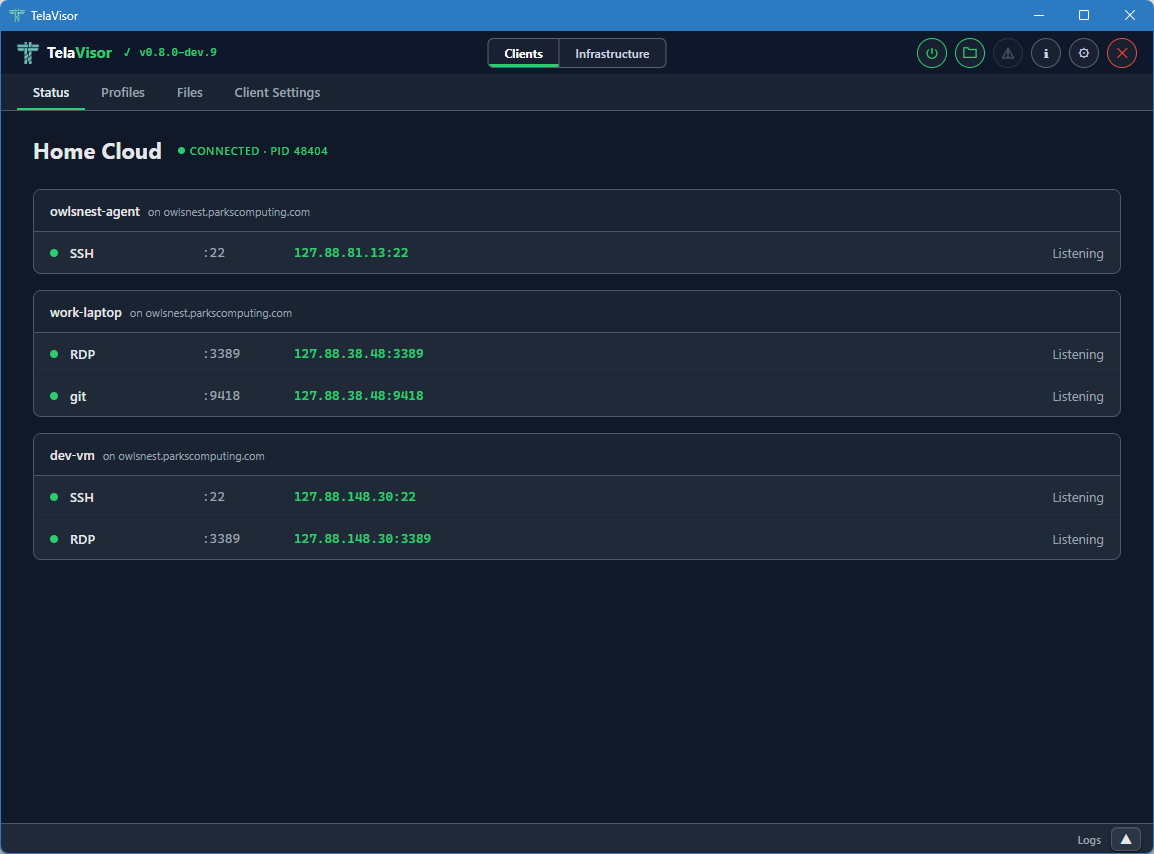
TelaVisor is the desktop client for Tela. It wraps the CLI in a window with menus, panels, and a file browser, so you can connect to machines, manage hubs, browse shares, and administer remote agents without opening a terminal. Runs on Windows, Linux, and macOS.
Three editions of the tela book track the three release channels. Stable is the default; beta and dev are rebuilt from their respective channel's tags and are labelled with the version they document.
Older stable editions are archived so that they can be referenced by users who have chosen not to upgrade to the latest version.
Prebuilt binaries for each supported platform. Every release is signed and accompanied by SHA-256 checksums.
Package manager distribution (winget, choco, apt, brew) is on the 1.0 roadmap.